Sensor cooking stopped with SENSOR ERROR scrolling. CLEAR/OFF and COOKTIME are the manual's answer.
Model compatibility: Monogram reuses codes across series and model years, so Err / SENSOR ERROR may mean something different on another appliance or generation. Confirm this against your model’s documentation and record your full model number before acting.
Plain language
What this code means
A sensor cooking error: the door was opened or Start/Pause pressed before steam was detected, or steam was not detected in the maximum time.
You were using a sensor cooking program and the display now shows Err, with SENSOR ERROR scrolling across it. The troubleshooting page of the ZEM115 owner’s manual explains it.
Why it appears
During a Sensor Cooking program, the door was opened or Start/Pause was pressed before steam could be detected.
Steam was not detected in the maximum time.
What the manual says to do
The message keeps scrolling until CLEAR/OFF is pressed. If steam was not detected in time, use COOKTIME to heat the food for more time.
Model
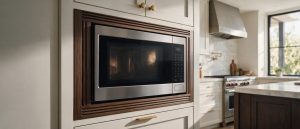
The Monogram ZEM115 countertop microwave, an older (legacy) model.
Related
LOCKED: an L on the display, which also clears with the CLEAR/OFF pad.
Microwave repair for Monogram owners in Los Angeles
If SENSOR ERROR comes back after CLEAR/OFF and a timed heat, phone (844) 415-4997 for Monogram microwave repair in Los Angeles. Tell us which program you ran and your model number. The microwave repair page has more.
Important safety warning. Do not attempt repairs involving electrical components, gas, water lines, refrigerant or sealed systems. Unplug the appliance if it is safe to reach the outlet, and leave internal diagnostics to a qualified technician.
Seeing this code on your Monogram appliance?
Book a specialist visit for a clear estimate and approval before any repair.