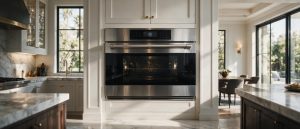
F plus a number or letter on the LCD: the manual's four steps for Monogram wall ovens.
Model compatibility: Monogram reuses codes across series and model years, so F-code may mean something different on another appliance or generation. Confirm this against your model’s documentation and record your full model number before acting.
Plain language
What this code means
F plus a number or letter on the LCD is a generic function error code; the manual does not define individual F-codes.
If the LCD on your Monogram oven shows the letter F followed by a number or letter, the manual calls it a function error code. The manual does not define individual F-codes, so the steps below are the same whatever follows the F.
Steps from the owner’s manual
Press Dismiss on the LCD.
Let the oven cool for one hour, then use it again.
If the code returns, disconnect all power to the oven for at least 30 seconds and reconnect it.
If it appears yet again, call for service.
Models
The Problem Solver entry appears in the manuals for the Monogram ZTS90DS and ZKD90 wall ovens, and for the ZSB9231 Advantium 240V oven with LCD controls. These are current models.
Monogram wall oven service in Los Angeles
When an F-code keeps coming back after the power disconnect, call (844) 415-4997 for Monogram wall oven service in Los Angeles. Note the full code shown, your model number and what you already tried. The oven repair page has details.
Important safety warning. Do not attempt repairs involving electrical components, gas, water lines, refrigerant or sealed systems. Unplug the appliance if it is safe to reach the outlet, and leave internal diagnostics to a qualified technician.
Seeing this code on your Monogram appliance?
Book a specialist visit for a clear estimate and approval before any repair.